
TruckOps fleet management
TRUKOPS
Run dispatch, loads, trips, drivers, trucks, settlements, and reporting from one clean operations workspace built for small and medium trucking companies.
Built for operations teams that need dispatch clarity without enterprise overhead.

DispatchActive trips, ETAs, route alerts
LoadsPickup, delivery, revenue, status
FleetDrivers, trucks, brokers, locations
ReportsFuel, revenue, miles, efficiency
Built for trucking teams
One workspace for the day-to-day movement of freight.
TRUKOPS keeps the operational record close to the people running it: dispatchers, owners, drivers, accountants, and managers who need a fast view of what is moving, what changed, and what needs attention.
Fleet overview
See active trips, in-transit work, efficiency, recent activity, critical alerts, and map context from the home dashboard.
Trips and loads
Track load status, pickup and delivery details, commodities, brokers, revenue, progress, ETAs, and exceptions.
Team management
Invite drivers, dispatchers, and accounting users, then manage workspace roles and company records in one place.
Settlements
Keep settlement, broker settlement, revenue, trip cost, and payment context connected to the operational record.
Fleet analytics
Review performance across revenue, miles, fuel efficiency, driver performance, vehicle health, and critical indicators.
Route and place tools
Support location workflows with route computation, place autocomplete, route alerts, and pickup or delivery context.
Operations workflows
From dispatch board to back office.
The app is organized around the two halves of a trucking business: keeping freight moving today and keeping the business record accurate for tomorrow.
Dispatch flow
Plan, move, and monitor freight
Use TRUKOPS for active work where speed and status clarity matter.
- Create trips and loads with origin, destination, broker, commodity, weight, and revenue details.
- Track pickup, in-transit, delivered, delayed, and exception statuses.
- Monitor active deliveries, ETAs, route changes, and critical alerts from the home dashboard.
- Keep route and location details available for the team.
Back office
Keep people, assets, and money connected
Use the management and reporting tools to keep the company record clean.
- Manage drivers, trucks, brokers, locations, and company workspace details.
- Invite team members with role-aware access.
- Review settlements, broker settlements, costs, revenue, and payment context.
- Track performance with fleet analytics, fuel metrics, driver scores, and critical indicators.
App screenshots
A fleet workspace built for scanning.
The interface stays quiet and operational so teams can compare status, spot exceptions, and move through daily work quickly.
Dispatch dashboard
Active deliveries, recent activity, critical alerts, optimization notes, and fleet map context.
Fleet analytics
Fuel efficiency, vehicle health, driver performance, route efficiency, and critical operating indicators.
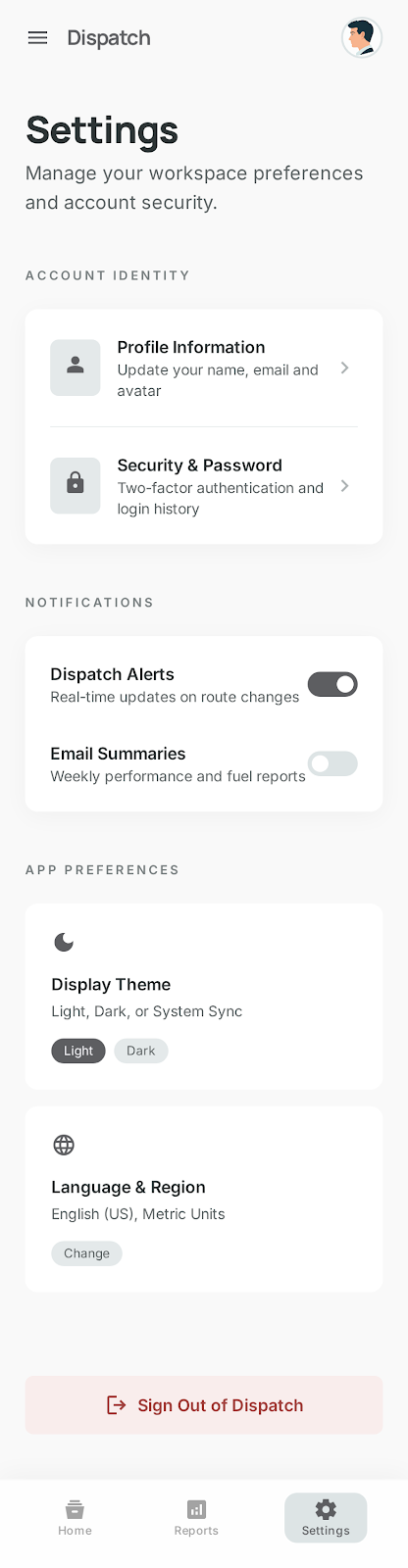
Workspace settings
Account identity, team access, alerts, email summaries, security, and app preferences.
Support
Need help with TRUKOPS?
For app access, account help, deletion requests, or operational support, contact the TruckOps support team.